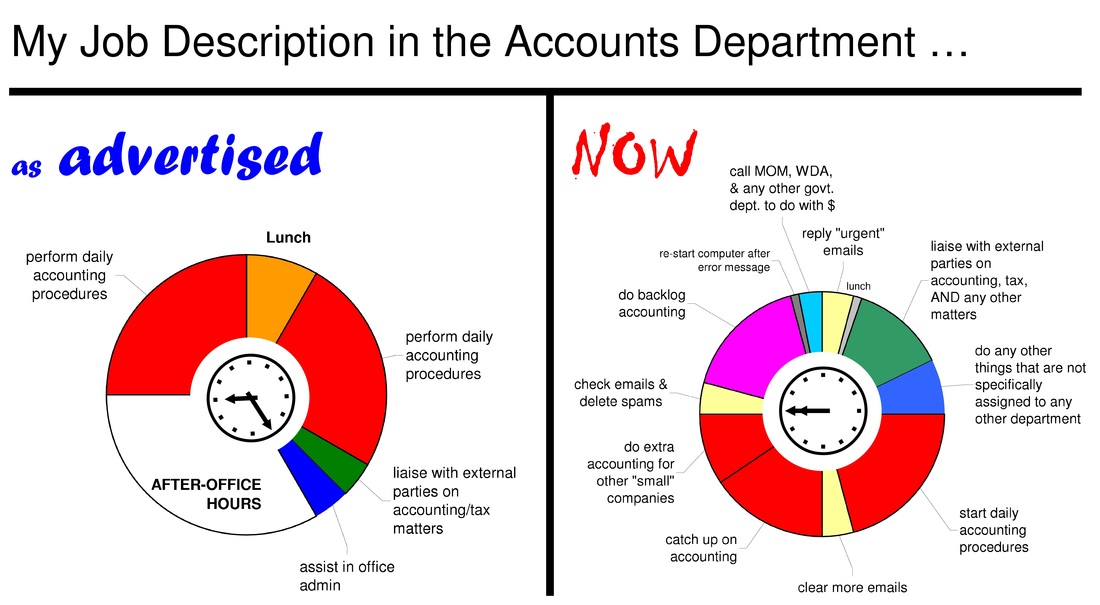
 click to see larger image
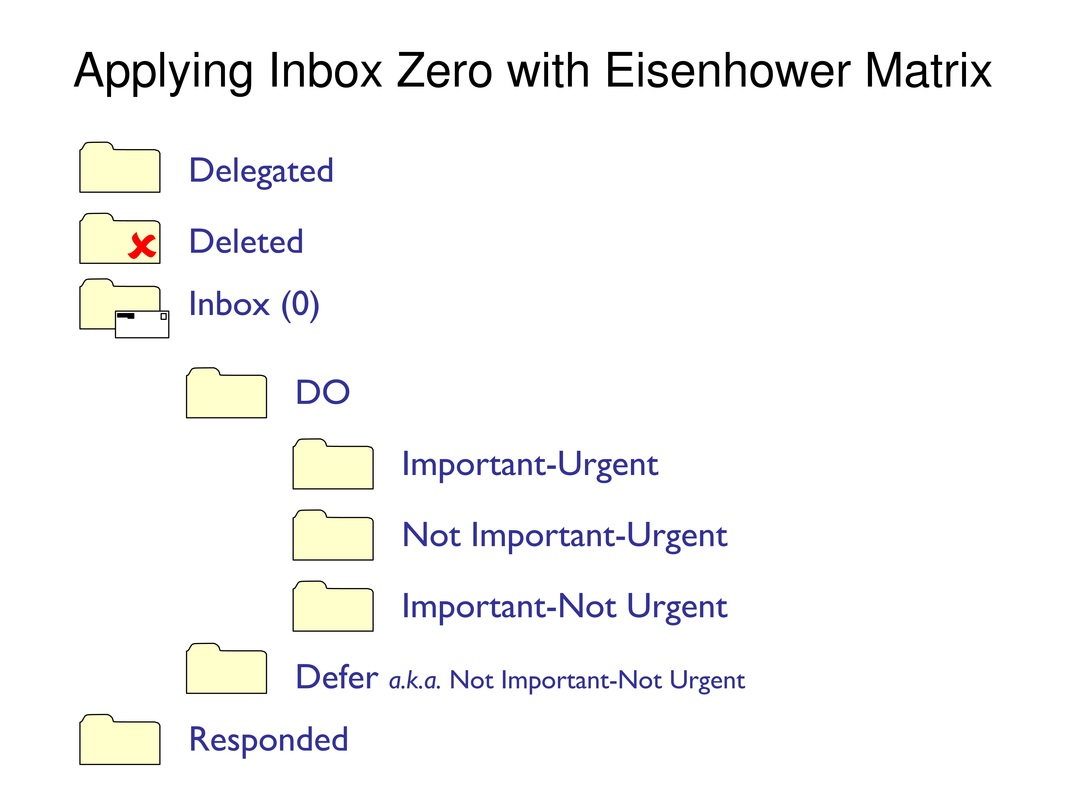
While preparing the above chart, I must have re-designed it a dozen times, or more. It's not perfect, but I have to say "no more" at some point. Here's Parato's 80/20 rule to tame any perfectionist's mind: 80% of the benefit is generated by 20% of the effort. What this also means is that the last 20% to perfection requires an extra 80% of the effort. In the multiple tasks that we do each day, we need to know when to stop. In the countless tasks that scream for our attention each day, we also need to decide which ones to start doing. Here, the Eisenhower Matrix of prioritisation comes in helpful. According to former U.S. President Dwight D. Eisenhower, tasks should be organised into 4 quadrants of a urgent/important matrix and prioritised accordingly as follows: 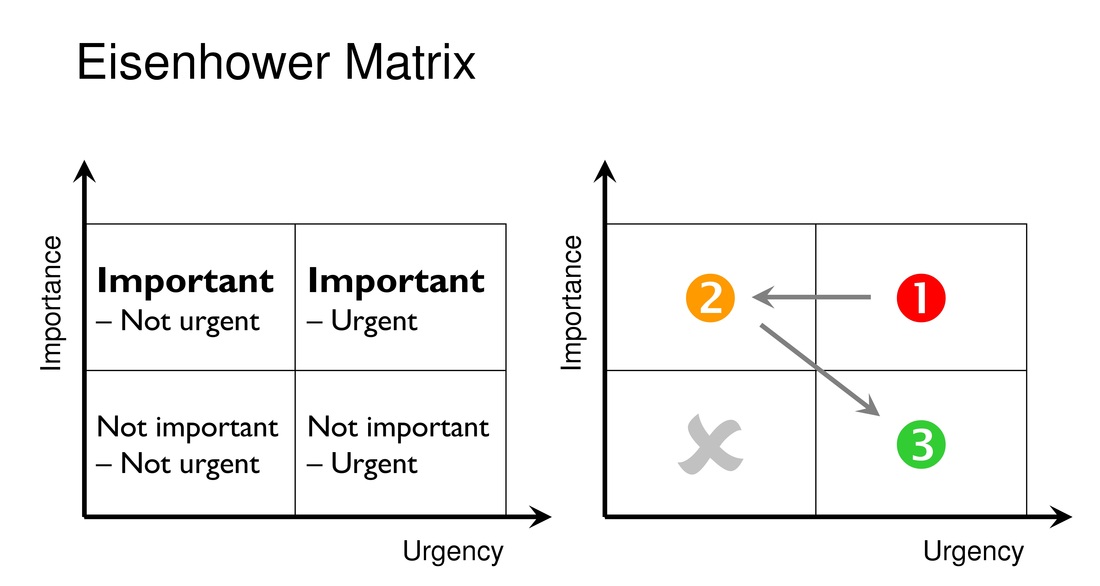 Most people are trapped in the "Urgent" column only and rush between the important (1) and unimportant (3) daily. However, people should concentrate more on the "Important" region and give priority even to tasks that are not yet urgent (2). For example, file income tax return way before the deadline. At this moment, my Outlook new mail alert sounds for the nth time (where n = integer > 1). Perhaps it's time to process my emails. Regarding email management, Martin Mann's Inbox Zero system is worth adopting. The trick is to keep your inbox to near zero by making a conscious decision each time you open a new email. Choose one: Delete --> Delegate --> Respond --> Defer --> Do The last 2 actions - defer and do - are the ones that can suck us into a big black hole if not properly managed.
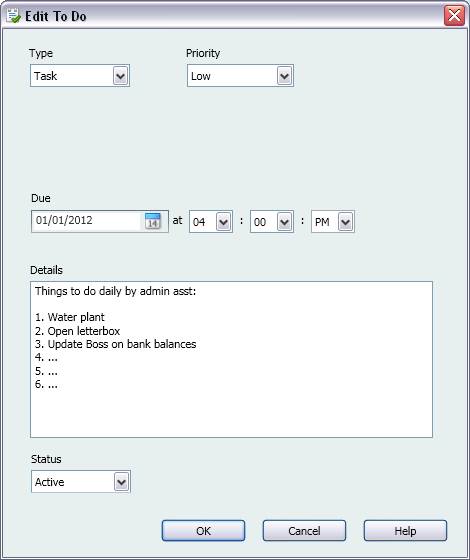
In summary, itemise the tasks that you have to do from your emails, in-tray, verbal instructions, and personal goals; prioritise and decide the important tasks to start; then bear in mind the 80/20 rule when you do each task. A.B.U.S.E. Takeaway for QuickBooks users There are several ways you can use QuickBooks to help you become more proficient in your job. Let's explore three below. 1. To-Do List Company > To Do List QuickBooks has a To-Do List that you can use to improve your personal efficiency. If you use QuickBooks' To-Do List as a normal to-do function, then you are merely adding noise to the multitude of other utilities available - Google desktop, sticky pad, mobile apps, email calendar, Google calendar, etc. However, QuickBooks To-Do List can be applied differently as 2 very useful documents.
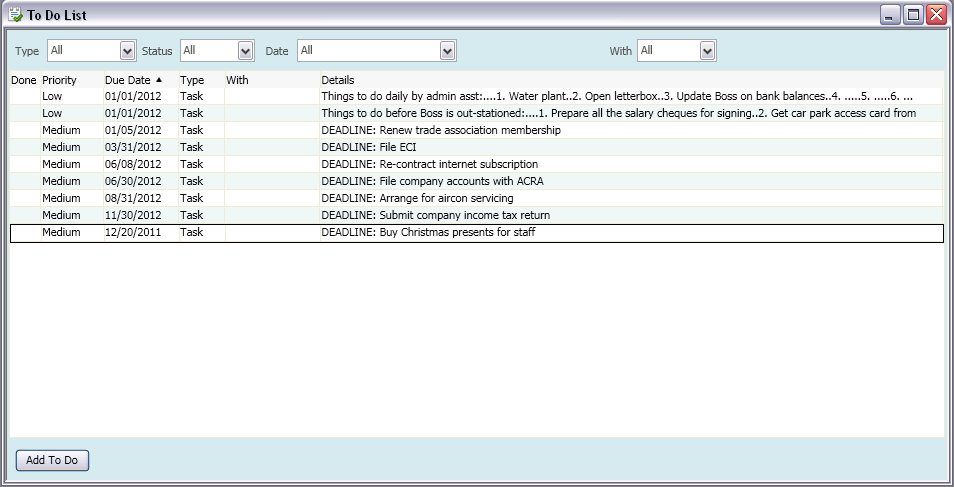 B. As company-wide list of deadlines Tip: Once task completed, simply revise due date to the next deadline.
2. Duplicate transaction At transaction screen, Edit > Duplicate [Transaction] Most transactions we encounter are recurring in nature. The duplicate transaction capability in QuickBooks is a great time-saver. 3. Keyboard shortcuts Make use of your keyboard to do things faster in QuickBooks. These are some common shortcuts: Editing Ctrl+C : Copy highlighted text/characters Ctrl+X : Cut highlighted text/characters Ctrl+V : Paste previously highlighted text/characters Transaction/activity Ctrl+Ins : Insert line (above line where cursor is currently on) Ctrl+Del : Delete line (where cursor is currently on) Ctrl+A : Call up the Chart of Accounts Ctrl+F : Call up the Find transaction function Date-related + : Next day - : Previous day T : Today M : First day of the Month H : Last day of the montH Y : First day of the Year R : Last day of the yeaR Are there any other productivity tools in QuickBooks that can make all our lives easier?
1 Comment
Delifairy
16/8/2012 07:03:50 pm
I like the way the job description is being presented on the pie chart! Leave a Reply. |

AddBellsUsingSmartEffects
WriterKenny Goh
Categories
All
© Copyright 2011-2017
All rights reserved |